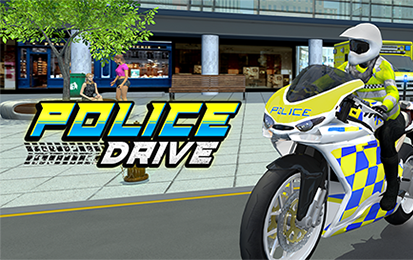

Police Drive puts you on duty inside a large 3D city filled with traffic, sharp corners, ramps, and active police missions. Choose a patrol car or motorbike, follow the objective marker, and reach each incident before the target escapes.
The game mixes open-city driving with focused pursuit tasks. You need speed on clear roads, control in crowded streets, and the right vehicle for the route ahead.
- Game type: 3D police driving and mission simulator
- Vehicles: Police cars and tactical motorbikes
- Main objective: Reach missions, pursue suspects, and complete police tasks
- Progression: Earn rewards, unlock vehicles, and improve performance
Police Drive Controls
| Action | WASD control | Arrow-key control | Driving use |
|---|---|---|---|
| Accelerate | W | ↑ | Build speed on open roads and close the distance to a suspect |
| Slow down / reverse | S | ↓ | Control tight corners, avoid traffic, or recover after a collision |
| Steer left | A | ← | Turn left and adjust your line through city streets |
| Steer right | D | → | Turn right and position the vehicle during a pursuit |
Use either WASD or the arrow keys. Avoid switching between both layouts during a chase, because consistent controls make fast corrections easier.
Your First Minutes on Patrol
Begin by selecting an available police vehicle. Once a mission appears, identify the guiding arrow or objective marker and start moving toward the target area.
Do not simply hold the accelerator. City traffic, junctions, and tight turns can remove more time than cautious braking would have cost.
When the pursuit begins, keep the suspect in front of you without copying every movement. Watch the road beyond the target so you can prepare for traffic and corners earlier.
Police Car or Motorbike?
| Vehicle | Main advantage | Best situation | Main risk |
|---|---|---|---|
| Police car | Stability and stronger road presence | Long pursuits, highways, and routes with frequent contact | Needs more room in narrow streets and crowded traffic |
| Police motorbike | Agility and easier movement through small gaps | Alleys, busy streets, and routes with rapid direction changes | Less forgiving when a jump or collision goes wrong |
The fastest vehicle is not automatically the best choice. A stable car can save time by avoiding repeated crashes, while a bike may reach a target faster when the route is narrow.
Follow the Marker, but Read the Road
The guiding arrow helps you find the active mission. Use it to choose a general direction, then look for the safest street that keeps you moving toward the objective.
A direct line can lead through traffic, barriers, or a difficult turn. Taking a slightly wider road may be quicker when it lets you maintain speed.
If you miss a junction, recover calmly. Sudden full-lock steering often causes another collision and creates a larger delay.
How to Handle a High-Speed Pursuit
- Close the first gap safely. Build speed on straight roads instead of forcing dangerous overtakes immediately.
- Brake before the corner. Enter at a controllable speed, steer through the bend, and accelerate after the vehicle is stable.
- Watch civilian traffic. A minor collision can change your angle and allow the suspect to gain distance.
- Use the full road. Set up turns from a wider position when traffic and barriers allow it.
- Stay focused on the mission. Do not abandon the route to attempt unnecessary jumps or collisions.
Mission Progress and Vehicle Upgrades
Successful missions provide progression rewards and in-game money. These rewards can be used to access additional police cars or motorbikes and improve vehicles already in your fleet.
Useful upgrades may improve speed, handling, durability, or overall pursuit performance. Choose improvements that solve the problem affecting your current missions.
- Upgrade handling when tight streets and sudden turns cause most failures.
- Upgrade durability when traffic contact or pursuit collisions end missions early.
- Upgrade speed when you drive cleanly but struggle to catch faster targets.
A balanced vehicle is often more useful than one built only for top speed. Reaching a high speed means little when poor handling prevents you from keeping it.
Common Driving Mistakes
Braking After the Turn Begins
Late braking pushes the vehicle wide and reduces steering control. Slow down before the corner, then accelerate through the exit.
Watching Only the Suspect
The target can hide traffic, ramps, and barriers. Keep the suspect in view while focusing farther down the road.
Using the Wrong Vehicle for the Route
A large car can lose time in narrow streets, while a motorbike can become difficult to control during heavy contact. Match the vehicle to the mission environment.
Chasing Speed After a Crash
Accelerating immediately from a poor angle often causes a second impact. Straighten the vehicle first, then rebuild speed.
A Better Strategy for Difficult Missions
Learn the route during the first attempt instead of treating every failure as lost progress. Remember difficult junctions, traffic-heavy areas, and places where early braking helps.
On the next run, prepare before those locations appear. Route knowledge reduces reaction time and lets you focus on the suspect.
Upgrade the vehicle only after identifying the actual weakness. Better handling will help more than extra speed when the mission is being lost at the same sharp corner.
Why Police Drive Is More Than a Basic Car Chase
The ability to use both police cars and motorbikes changes how you approach the city. One mission may reward stability and road control, while another favors agility through traffic.
Mission rewards also create a clear reason to improve. Cleaner pursuits lead to more progress, stronger vehicles, and access to additional options for later challenges.
Play Police Drive above, follow the active objective, and drive with enough control to finish the mission rather than simply reaching the highest speed.
Police Drive FAQ
What is the main goal in Police Drive?
Complete police missions across the city. Follow the objective marker, reach the incident quickly, pursue the target, and finish the required task without losing control of your vehicle.
What are the Police Drive controls?
Use W or the Up Arrow to accelerate, S or the Down Arrow to slow down, A or the Left Arrow to steer left, and D or the Right Arrow to steer right.
Can I drive both a police car and a motorbike?
Yes. Police Drive includes police cars and motorbikes. Cars are generally easier to keep stable during heavy contact, while bikes are useful when you need agility in traffic or narrow streets.
How do I find the next mission objective?
Watch the guiding marker or arrow shown by the game. It points toward the active destination, helping you choose the correct streets instead of driving around the city without direction.
How do I unlock and improve vehicles?
Complete missions to earn progression rewards and in-game money. These rewards can be used to access additional police vehicles and improve performance areas such as speed, handling, and durability.
Why do I keep failing high-speed pursuits?
Most failed pursuits come from entering corners too quickly, hitting civilian traffic, or following the target instead of the objective route. Brake before the turn, straighten the vehicle, and accelerate only when the road opens.
Is Police Drive an open-world game?
Police Drive takes place in a large 3D city with connected streets, traffic, highways, alleys, and mission locations. The gameplay allows city exploration while directing you toward active police objectives.
Can Police Drive be played on mobile?
The referenced browser version is listed for desktop, tablet, and mobile. Keyboard controls are the clearest documented setup, while the exact touch-control layout may depend on the device and game host.
DrivingSimulation