
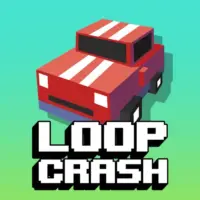
Loop Crash is a fast arcade driving game set on two circular roads that cross at dangerous intersections. Your car stays on its route automatically, leaving you to decide when to speed up and when to wait.
Every safe lap adds to your run. Traffic becomes busier, gaps become smaller, and one mistimed crossing ends the attempt immediately.
- Goal: Complete as many loops as possible without crashing
- Main mechanic: Accelerate or slow down at shared crossings
- Challenge: Read traffic on both circles at the same time
- Progress: Earn score and coins during longer runs
Loop Crash Controls
| Action | Arrow key | Letter key | When to use it |
|---|---|---|---|
| Accelerate | ↑ | D | Move through a clear intersection before another car arrives |
| Slow down | ↓ | A | Create space and let crossing traffic pass safely |
| Steering | Automatic | The car follows the circular road without left or right input | |
You can use either control pair. Choose ↑/↓ or D/A and stay with it so your reactions remain consistent.
The Intersection Is the Real Track
The circular road itself is simple. The danger appears where the loops overlap and multiple vehicles can reach the same space together.
Check both routes before committing. A gap that looks safe on your circle may close when a car from the second loop reaches the crossing.
Accelerate When
- The crossing is open and the next car is still far away.
- You are already close enough to clear the danger zone quickly.
- Slowing down would leave you beside another vehicle for too long.
Slow Down When
- Two vehicles are approaching the crossing close together.
- You cannot clearly judge which car will arrive first.
- Night lighting or crowded traffic makes the gap difficult to read.
How the Difficulty Builds
Early laps provide wider spaces and more time to react. This is the best part of the run for learning how quickly acceleration carries the car through an intersection.
As you continue, more vehicles enter the loops. You must track several moving positions instead of reacting to a single nearby car.
The day-and-night cycle also changes visibility. At night, watch vehicle movement earlier and avoid waiting until the last second to make a decision.
A Simple High-Score Routine
- Scan the second loop first. Your own car is predictable; crossing traffic creates the collision risk.
- Decide before reaching the intersection. Late braking leaves less room to create a safe gap.
- Use short speed changes. Small corrections make traffic timing easier to read.
- Clear the crossing completely. Do not release acceleration while your car is still inside the danger zone.
- Reset your rhythm after every pass. A safe crossing does not guarantee that the next one is open.
Common Reasons a Run Ends
| Mistake | What happens | Better approach |
|---|---|---|
| Watching only your car | Crossing traffic enters view too late | Focus on the shared intersection and the second circle |
| Accelerating at every gap | A distant car reaches the crossing sooner than expected | Judge the size and direction of the full traffic pattern |
| Braking inside the crossing | Your car remains exposed in the collision zone | Slow down before entering or accelerate through completely |
| Panicking after a close call | The next speed change is made without checking traffic | Return to a steady pace and reassess both loops |
Score, Coins, and New Cars
Completed laps increase your score and can award in-game coins. Longer survival therefore improves both the current record and your overall progress.
Coins can be used to access additional car appearances in the garage. These vehicles add visual variety, while the central challenge remains the same: control speed and avoid contact at the crossing.
Why Loop Crash Is Easy to Replay
The game avoids complicated steering, tracks, and upgrade menus during a run. Two keys handle every important decision, allowing the traffic pattern to remain the main focus.
Attempts restart quickly, and most crashes have an understandable cause. You accelerated into a closing gap, waited too long, or focused on the wrong loop.
Play Loop Crash above and treat every intersection as a separate timing puzzle. Calm speed control will take you farther than holding the accelerator through every opening.
Loop Crash FAQ
What is the objective in Loop Crash?
Survive for as many laps as possible without colliding with traffic at the shared intersections. The car follows the circular track automatically, so success depends on controlling speed at the right time.
What are the controls for Loop Crash?
Press the Up Arrow or D key to accelerate. Press the Down Arrow or A key to slow down. You do not steer the car because it follows the loop automatically.
How do I avoid crashes at the intersection?
Watch traffic on both circles before your car reaches the crossing. Accelerate through a clear gap or slow down early enough to let another vehicle pass first.
Why does Loop Crash become harder?
More traffic appears as the run continues, and the timing windows become tighter. Changes between day and night can also make vehicles harder to track.
How do I get a higher score?
Choose safe gaps, slow down before crowded crossings, and avoid unnecessary bursts of speed. Completing more laps without a collision is more valuable than rushing every intersection.
Can I unlock other cars in Loop Crash?
The commonly hosted browser version awards points and coins for completed laps. Coins can be used for additional vehicle appearances in the in-game garage.
Is Loop Crash a racing game?
It is an arcade driving game rather than a traditional race. There is no finish line or free steering; the challenge is surviving an endless traffic loop by managing speed.
Can Loop Crash be played on mobile?
Several browser hosts list mobile support. On-screen speed controls may appear when the game loads on a phone or tablet, although the exact touch layout can vary by host and device.
ArcadeDriving